

If you’re ready to start buying or selling scrap online but don’t know where to begin, this guide is for you. Creating an account on ScrapTrade is straightforward but like any registration process, you need to follow the steps carefully to avoid delays in verification.
In this detailed guide, I’ll walk you through the complete sign-up process, explain how email and OTP verification works, and highlight common mistakes to avoid. Whether you’re creating a written help guide or recording a video tutorial, this breakdown will keep everything clear and structured.
Step 1: Visit ScrapTrade Website
Start by opening your browser and going to: scraptrade.com.au

Once the homepage loads, look for the “Get Started” button.
This is your entry point to creating a new account.
Step 2: Click “Get Started”
On the homepage, click the “Get Started” button as shown on the screen.
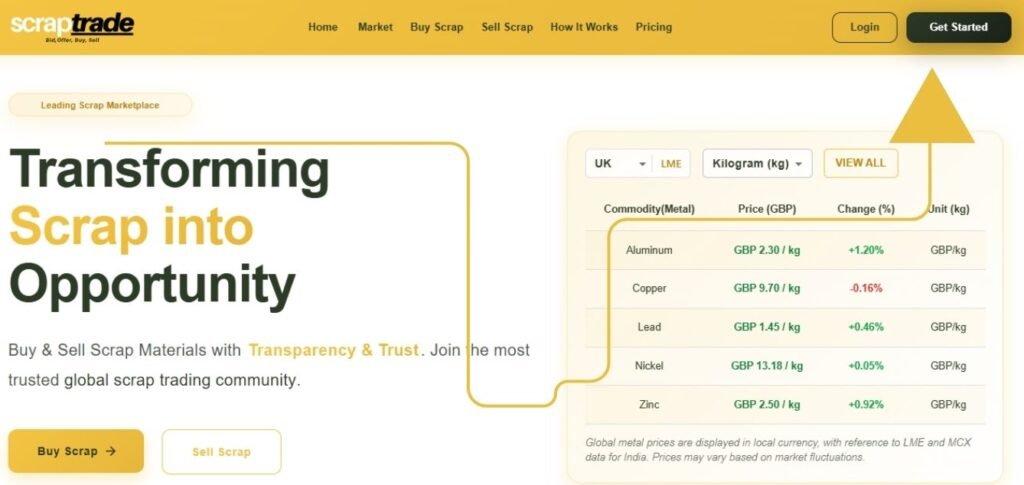
This will take you to the registration page where you’ll need to provide your basic details.
Step 3: Fill Out Your Basic Details
You’ll now see the registration form.
Enter your:
- Full name
- Email address
- Mobile number
- Company Name
- Password
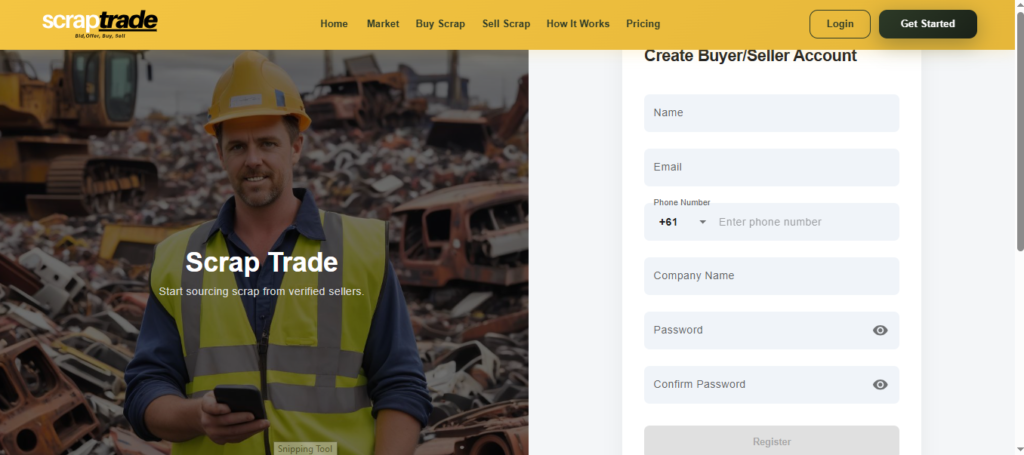
Important:
Make sure:
- Your email address is active and accessible
- Your mobile number is correct
- All details are entered accurately
These will be used for verification, and incorrect information will delay account creation.
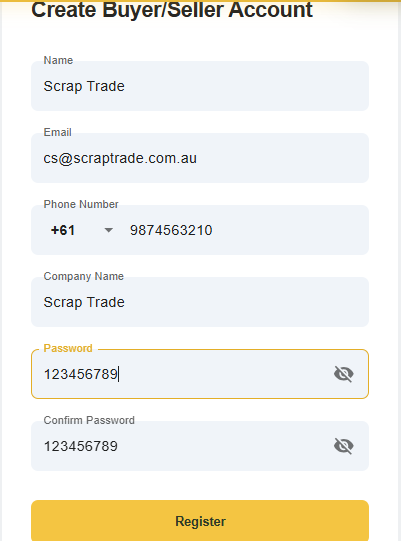
Once everything is filled in, click the “Register” button.
Step 4: Email Verification Link
After clicking register, you will receive:
- A verification email with a confirmation link
Open your email inbox and look for the message from ScrapTrade.
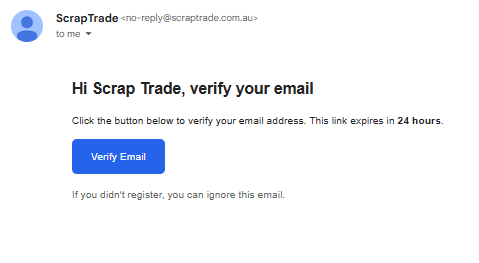
What to do next:
Click the verification link inside the email to confirm your account.
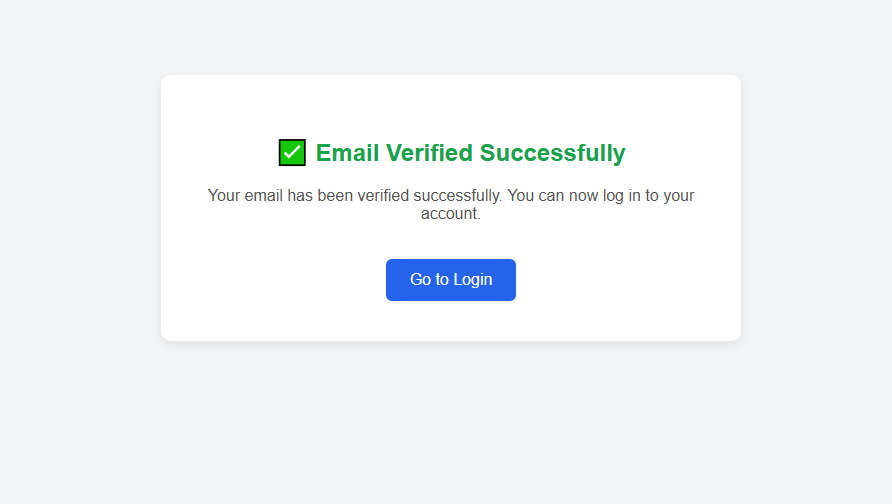
If you don’t see the email:
- Check your spam or junk folder
- Make sure you entered the correct email address
This step confirms that your email address is valid.
Step 5: OTP Verification (Same Code for Email & Phone)
You will also receive a One-Time Password (OTP).
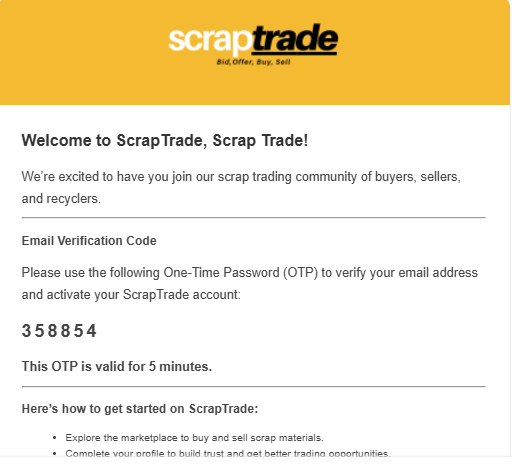
Here’s what’s important:
- The OTP will be sent to both your registered email and phone number
- The OTP will be the same code for both
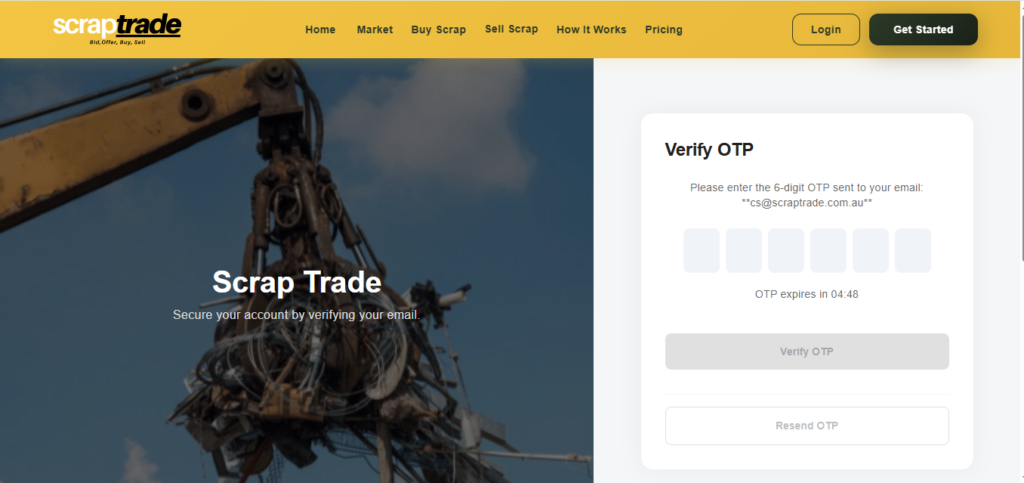
How to complete OTP verification:
- Check your email or SMS
- Copy the OTP received
- Enter the OTP in the verification field on the website
Once entered correctly, your verification will be completed.
Step 6: Account Creation & Redirect
After successful OTP verification:
- Your account will be created
- You will be automatically redirected to the login page

From there, simply enter your credentials and log in.
You’re now ready to start trading.
Common Issues & How to Fix Them
Not receiving OTP?
- Wait a few minutes
- Check spam folder
- Confirm your phone network signal
- Make sure the email and phone number entered are correct
Entered wrong OTP?
Simply recheck the code carefully. Since the OTP is the same for email and phone, make sure you’re entering it exactly as received.
Email verification link not working?
Try:
- Opening it in a different browser
- Copy-pasting the link manually
- Requesting a new verification email if available
FAQs
How long does ScrapTrade account verification take?
Verification is usually instant once you click the email link and enter the correct OTP.
Is the OTP different for email and phone?
No. The OTP sent to your email and phone number is the same code.
Can I register without verifying email?
No. Email verification is mandatory to activate your account.
What happens after successful verification?
You’ll be redirected to the login page and can immediately start using your account.
Conclusion
Signing up on ScrapTrade is simple but accuracy matters. Make sure your email and phone number are correct, complete the email verification link, and enter the OTP properly to activate your account without delays.
If you’re creating a text guide, use this structure to keep it clear and easy to follow. If you’re producing a video tutorial, break the steps into short visual segments for better engagement.
Once your account is verified, you’re all set.
Happy scrap trading and see you in the next guide.