

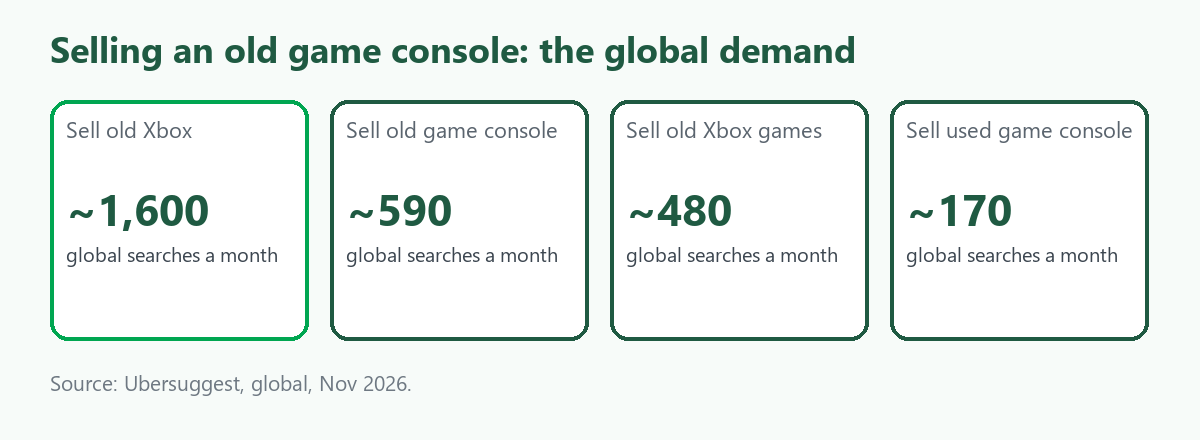
"Sell old Xbox" is searched about 1,600 times a month worldwide, according to Ubersuggest, with "sell old game console" about 590, "sell old Xbox games" about 480, "sell used game console" about 170 and "sell old PS4" about 140. The cost per click is low, about 1 to 2 dollars. The searchers have a console from a previous generation and want to clear it out. Selling is easy. The part that goes wrong is leaving the console tied to your account, with your payment details and saved games on it, so most of this guide is about preparing it. It follows selling old electronics, and our Australian companion is Sell Faulty Consoles, Tablets and Cameras. We give no prices. We operate ScrapTrade, a scrap marketplace, so we have a stake in this trade.
Why preparation matters
Digital game licenses are tied to your account and not to the console, according to the guides we read, so a buyer cannot reach your library after you sell, and your account stays linked to a machine you no longer hold. A factory reset removes account data, saved games and personal settings, and without it the buyer may not be able to set the console up as its own. Canadian government cyber-safety guidance on safely getting rid of a console also exists, though we did not review its text. Skipping the steps has a cost: one pawn-shop example in the guides we read saw an offer fall when a console was not reset first, which is one data point and not a rule.
Steps before you sell
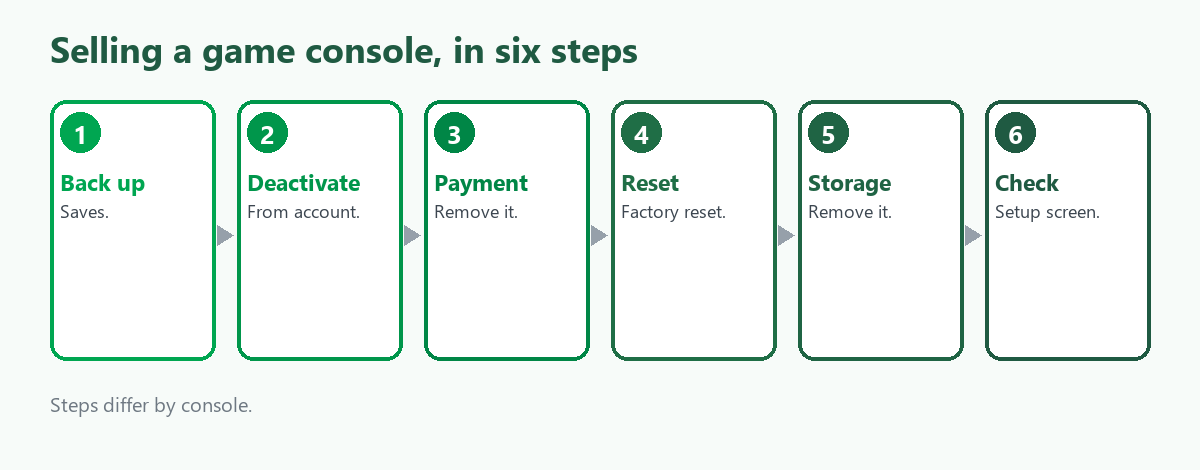
- Back up your saves. Use cloud saves or external storage before you wipe anything.
- Deactivate the console. On Xbox, one guide says to remove the console as your home Xbox in settings or from the Microsoft devices page, and a reset done offline may leave it registered as your primary console. Other platforms have their own steps, which we did not review.
- Remove payment methods. One guide suggests removing them from the PlayStation store settings before you reset.
- Factory reset. Use the console's own reset option.
- Remove external storage. A reset will not erase an external drive or memory card, so take them out and dispose of them separately.
- Check the result. Turn the console on and confirm that you see the first-time setup screen. If it signs in to an account, reset again or sign out manually.
Bundles and extras
A complete bundle with the original box, controllers and a few popular games can add to the sale, one source says, and gives a range we do not repeat because it is one seller's estimate. Clean the console and controllers, include cables and the power supply, and photograph everything. Games can be sold separately, and our searches show demand for "sell old Xbox games" at about 480 a month, but we found no source on what they fetch.
Where to sell
- Trade-in programs. Retailers and manufacturers take back consoles for credit.
- Resale marketplaces and classifieds. More control over price, with fees and shipping on you.
- Pawn shops and game stores. Quick, and the offer may be low.
- Local sales. Cash, with no shipping, and you meet the buyer.
We found nothing that compares trade-in and resale for consoles, so do the arithmetic after fees and shipping. We also found nothing on console bans and how they affect resale, so check the platform's terms if the console was ever restricted.
A faulty console
We found no source on selling consoles for parts or repair. In our reading, a console that will not start, or has a failed drive or overheating, is a repair or recycling job, and repairers and refurbishers are the likely buyers, the same as for other electronics. Describe the fault honestly, wipe what you can and see our guide to broken phones and laptops for the data-wiping limits that apply to any device with storage. Consoles with a built-in drive may hold your data even if they will not boot.
Where ScrapTrade fits
One console belongs with a trade-in, a marketplace or a pawn shop, and ScrapTrade is not the right route for it. The marketplace suits lots: a repairer with a crate of faulty consoles, a business clearing a fleet or a reseller with mixed stock. E-waste is one of its twelve categories, and its verified traders in more than 50 countries bid for lots. Listing is free with no commission, you negotiate live and an accepted bid places the buyer's 5 percent deposit in escrow. Businesses and individuals can sell after verification. Wiping accounts is the seller's job, and we could not confirm that working consoles can be listed, so email cs@scraptrade.com.au first.
What we could not verify
- What any console sells for. We give no prices.
- Trade-in versus resale, console bans and faulty consoles. We found no sources.
- Deactivation steps outside Xbox.
- Whether ScrapTrade accepts working consoles.
Frequently asked questions
How do I wipe a console before selling?
Back up saves, deactivate it from your account, remove payment methods, factory reset it and take out external storage.
Does a factory reset remove my account?
It removes account data and saved games from the console, but licenses remain tied to your account, and a reset done offline may leave it registered to you.
Should I sell the games with the console?
You can sell them separately or bundle them. A bundle with accessories may add to the price, according to one source.
Can I list consoles on ScrapTrade?
E-waste is a category, and we could not confirm working consoles, so ask support.
Sources
- Ubersuggest keyword data, global, queried November 2026.
- Resale-marketplace, recycler and Government of Canada cyber-safety guidance on preparing consoles for sale, as summarised in search results.
- ScrapTrade website, accessed November 2026.
General information only, not security advice. Steps differ by console and software version.